
Know what to expect.
Family Cycle shows where each person in your family is in her cycle, and what kind of week may be coming.
One calendar for every cycle in the family, for a mother guiding her daughters through puberty and the years after. Their father can join on his own iPhone and see the same calendar, and it costs nothing more.
Free for 7 days, then $39.99 a year or $7.99 a month for the whole family. Renews until you cancel in Settings.
Your family's health data
Family Cycle holds the dates of each person's period, so it has a Consumer Health Data Privacy Policy of its own, apart from the general Privacy Policy. It says what we collect, who can see it, and what you can ask of us.
You don't have to tell him anymore.
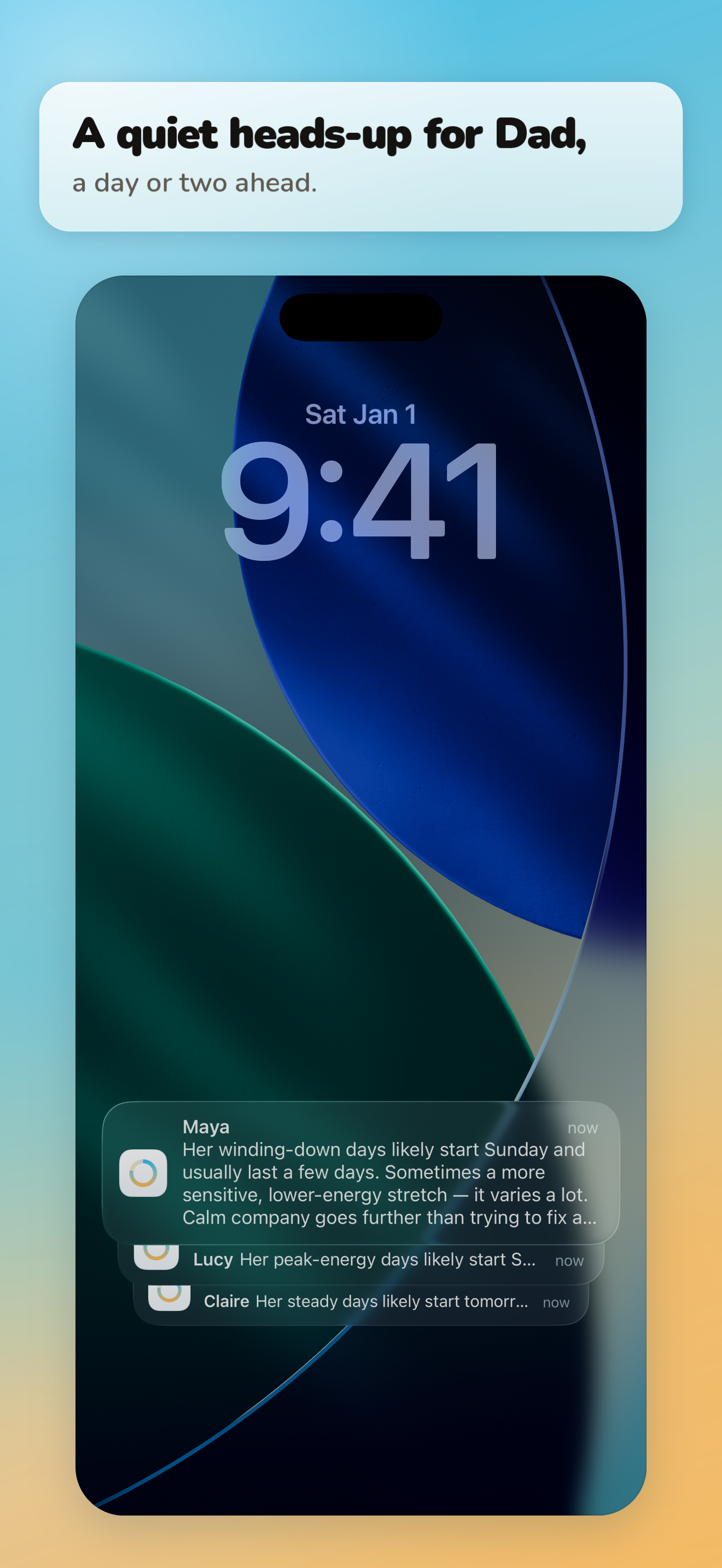
A day or two before a new stretch of the month begins, the same short note can reach your phone and her father's. He reads it for himself, so the plan gets made early and nobody has to pass it along.
Reminders are off until each of you turns them on. On a lock screen a note shows only her name and a few words about the days ahead.
- DadSaw the heads-up about Maya. I've got Sunday: front row at her recital, then pizza.
- YouI was about to text you that.
- DadBeat you to it.
A few minutes to set up, five seconds to read
-
Set up your family
Add each daughter, and yourself if you like. Know when her last few periods started? Add them too, and her forecast starts from her own dates on day one.
-
Invite her dad
Send an invitation from your phone. He joins on his own iPhone and sees the same calendar, on the same plan, and it costs nothing more.
-
Log a day
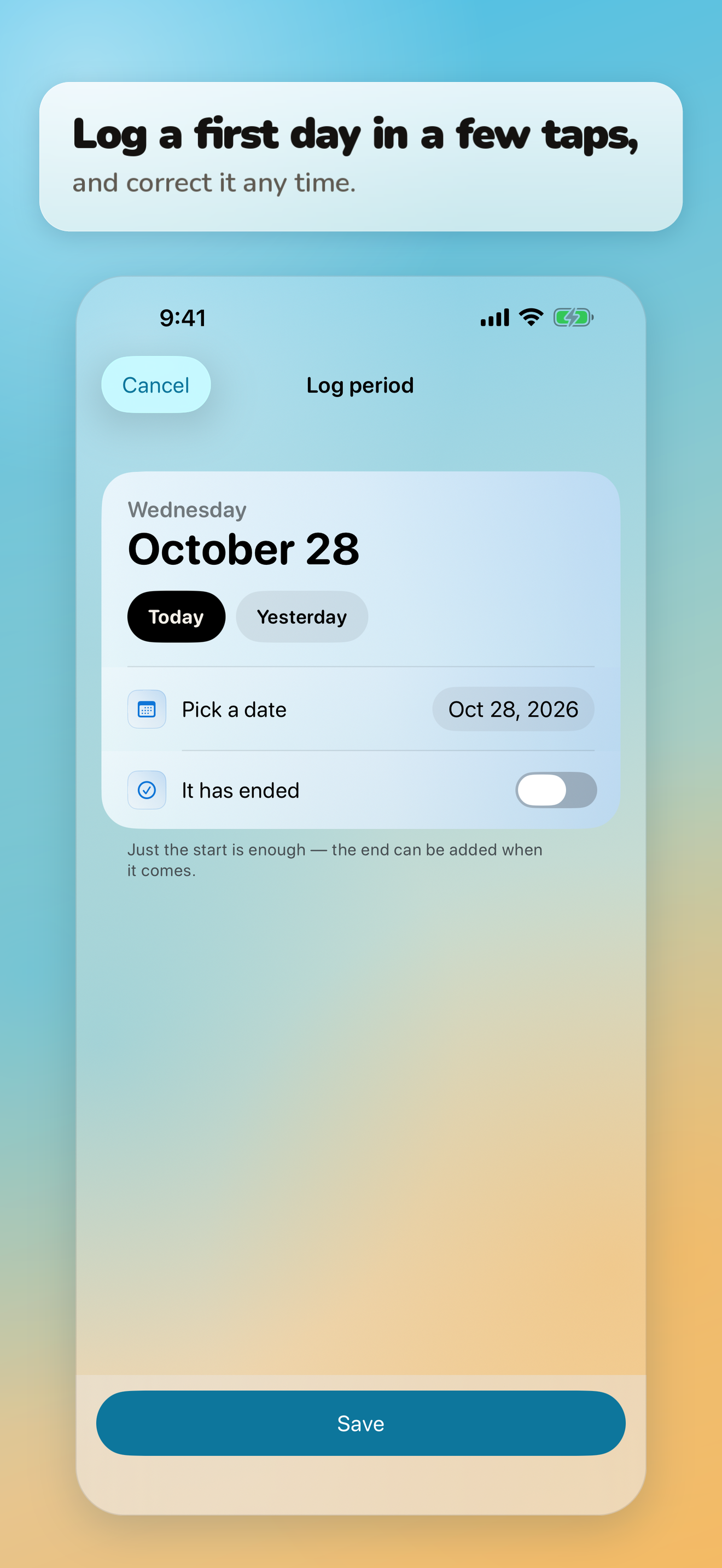
Tap Log a day, choose who, and pick Today or Yesterday. Fix or remove any entry whenever you need to.
-
See what's coming up
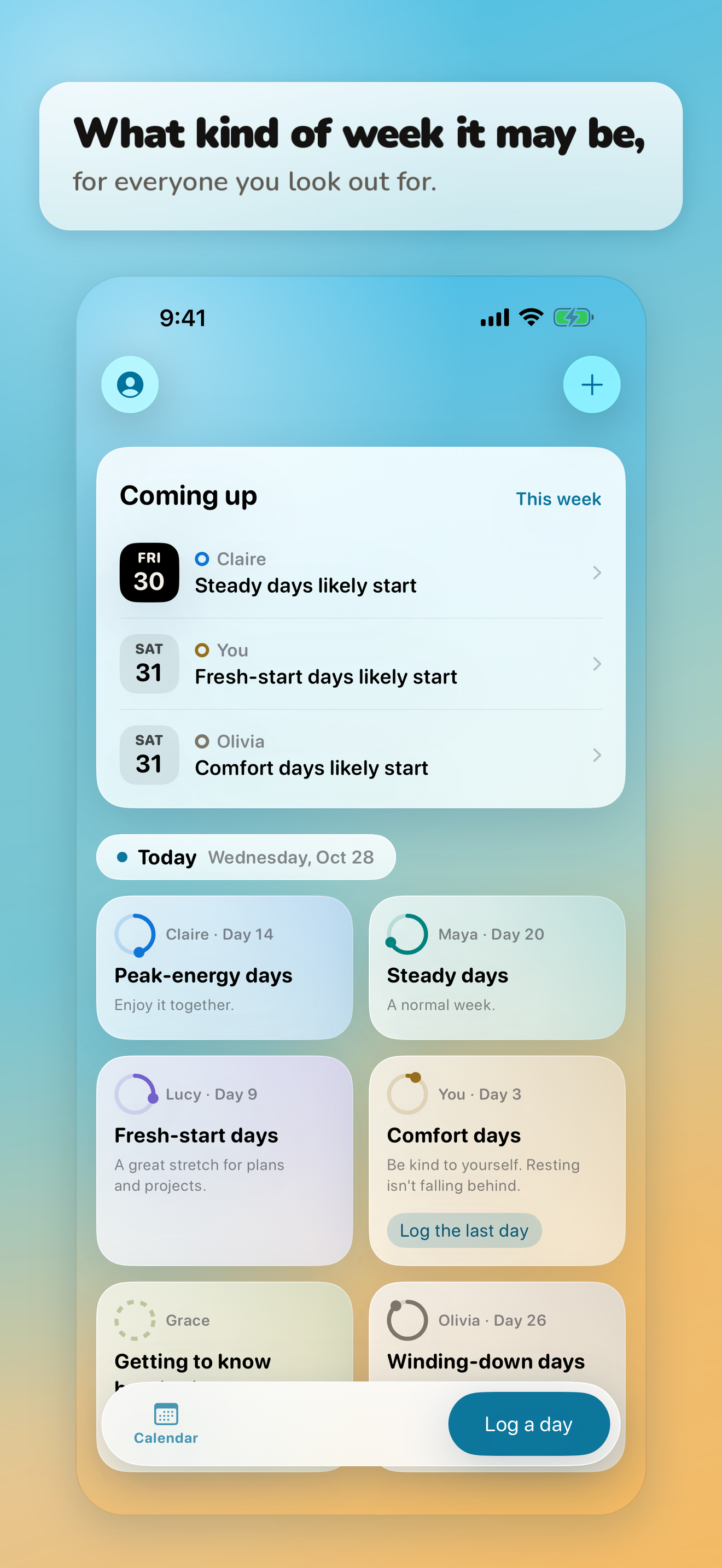
Coming up leads the screen: whose new stretch of the month starts next, soonest first. Tap one to read its note in full.
-
Read her week
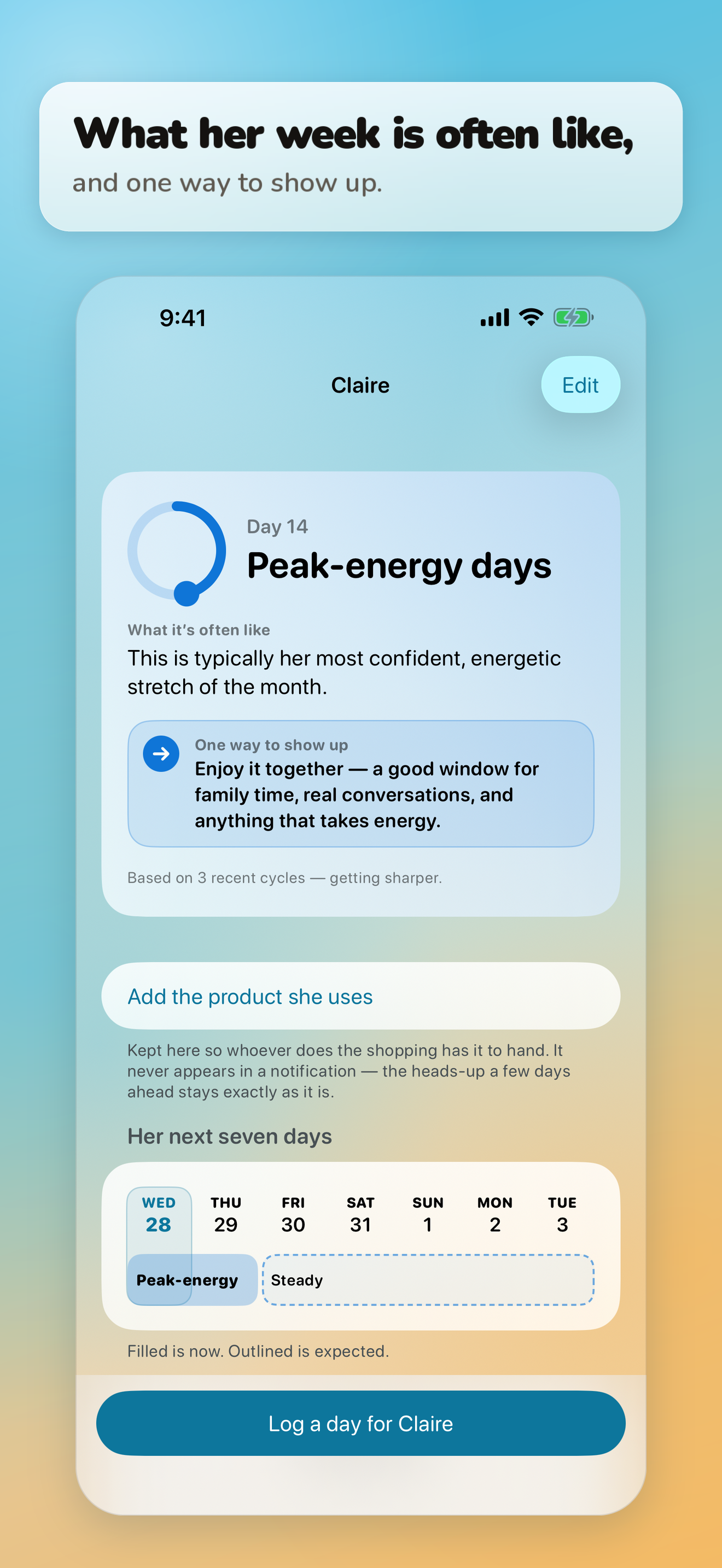
Each tile names the stretch she's in and one way to show up. Open it for what that stretch is often like, and her next seven days.
You know her best.
Family Cycle names the week. What it means on a given Tuesday is still your read.
A discreet name for every stretch of the month
These are the app's own words. They're discreet enough that a glance over your shoulder gives little away.
- Comfort daysthe period itself
- Fresh-start daysthe week after
- Peak-energy daysmid-cycle
- Steady daysan ordinary stretch after mid-cycle
- Winding-down daysthe days before her period
What a week looks like in the app
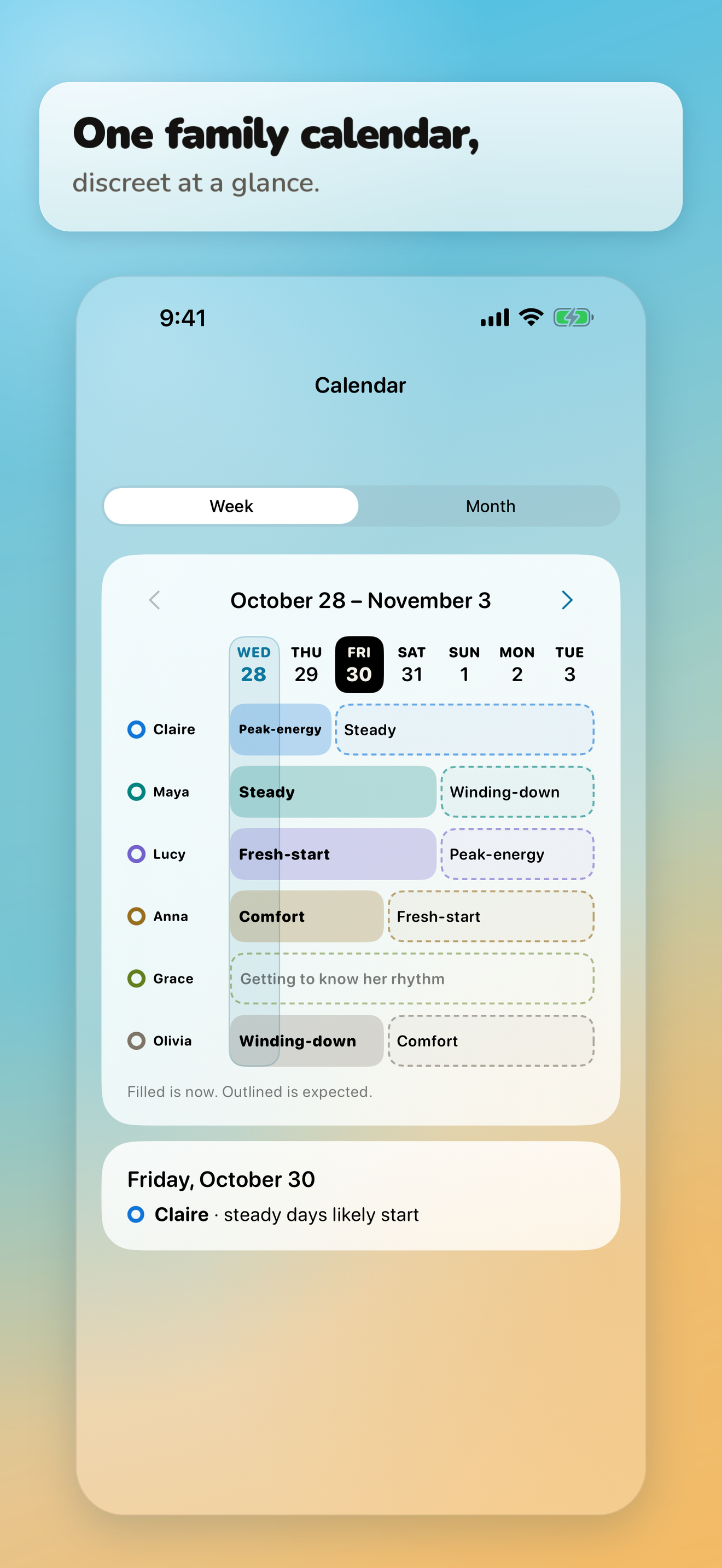
Every screen, full size, in the press kit.
Built for the parent who keeps the calendar
One dashboard for the whole family.
Everyone you look out for is on one screen, in words you can read in five seconds.
What kind of week it may be, and one way to show up.
Each card names the stretch of the month she's in and one concrete thing you might do; open it to see what that stretch is often like.
A calendar that stays discreet.
Names like comfort days and winding-down days mean a glance over your shoulder gives little away, and a reminder on a lock screen shows only a name and a short note in those same words.
Dad sees it too.
A father joins from your invitation and sees the same calendar and cards, on the same plan, and it costs nothing more. A day or two before a new stretch of the month begins, he can get a short note: what kind of week it may be, and one way to show up.
Logging that's quick, and easy to correct.
Add a date in a few taps, and fix or remove any entry whenever you need to.
Every profile respects whose it is.
An adult owns her own profile and decides what her family can log and hear about her, and a daughter 13 or older who logs for herself is told, before anything is linked, exactly what her parents will see.
Principles
You know her best.
Family Cycle names a window in time. It never explains a mood or a moment: it tells you what part of the month it is, and what that means on a given Tuesday is still your read.
One input among many.
School, sleep, friendships and growing up shape a week too, and the app's reminders say so from time to time. Its note on when to talk to a doctor is always one tap away, under About these forecasts.
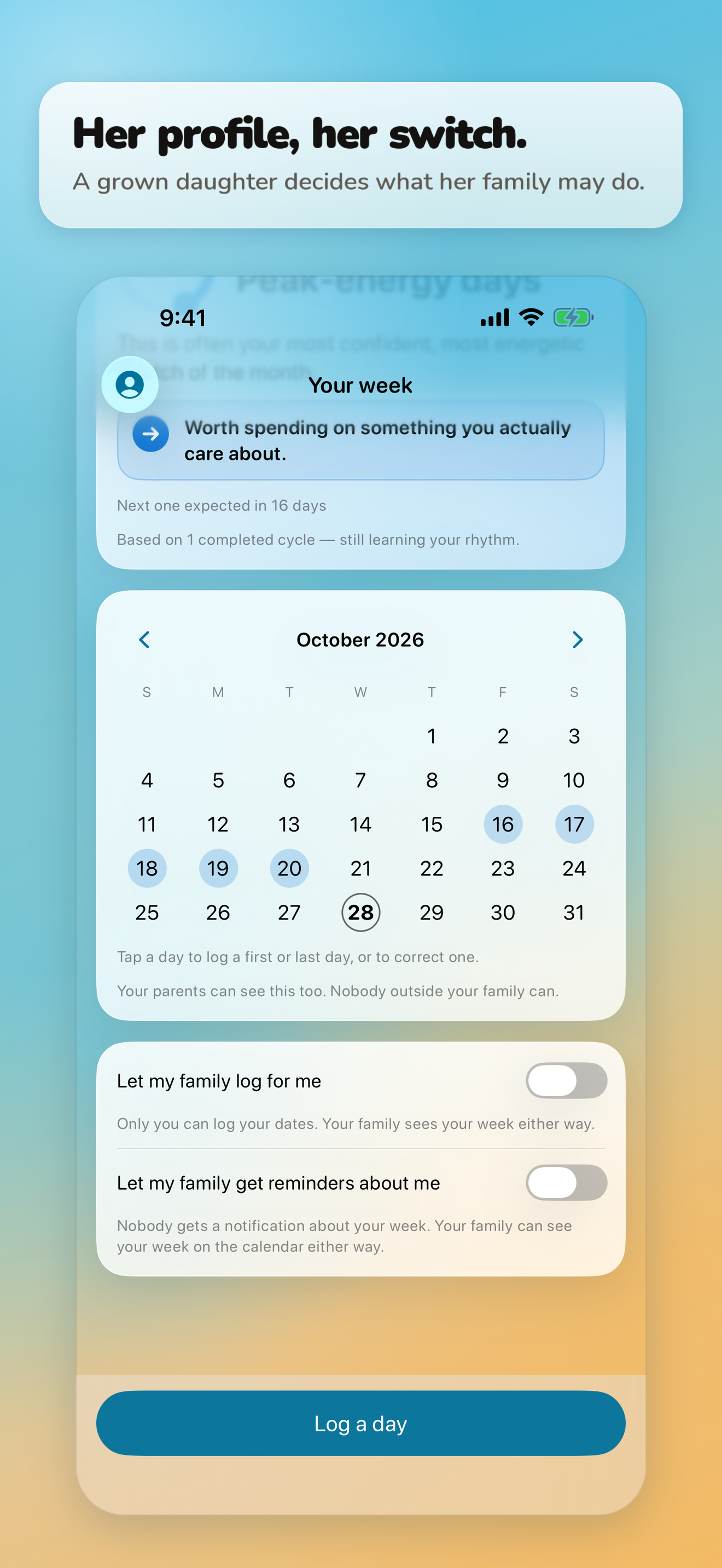
Her profile, her switch.
An adult's profile is hers. Only she decides whether her family can log for her and whether they get reminders about her week, and the app's security rules make sure only she can change either choice.
No ads, no selling data, no trackers.
We don't sell data, don't show ads, and don't add advertising or analytics tools to the app or our websites. In the app, your family's data is visible only to your family.
Not a medical app, and not birth control.
Family Cycle is a wellness and education app. It isn't medical, it doesn't diagnose anything, and it can't be used as birth control.
The news will be here first
We aren't taking sign-ups yet, and there's nothing to fill in here. When we open a list, a company under contract will look after it, our Privacy Policy will say so before the first name goes on it, and it will carry news about Family Cycle and nothing else.
Until then, this page is where the news will be. Check back here.